ipswnotes compares each new iOS and macOS firmware package with the one before it and turns the differences into readable changelogs. This guide walks through the site from the first page you land on to the deepest level of detail.
1. The home page
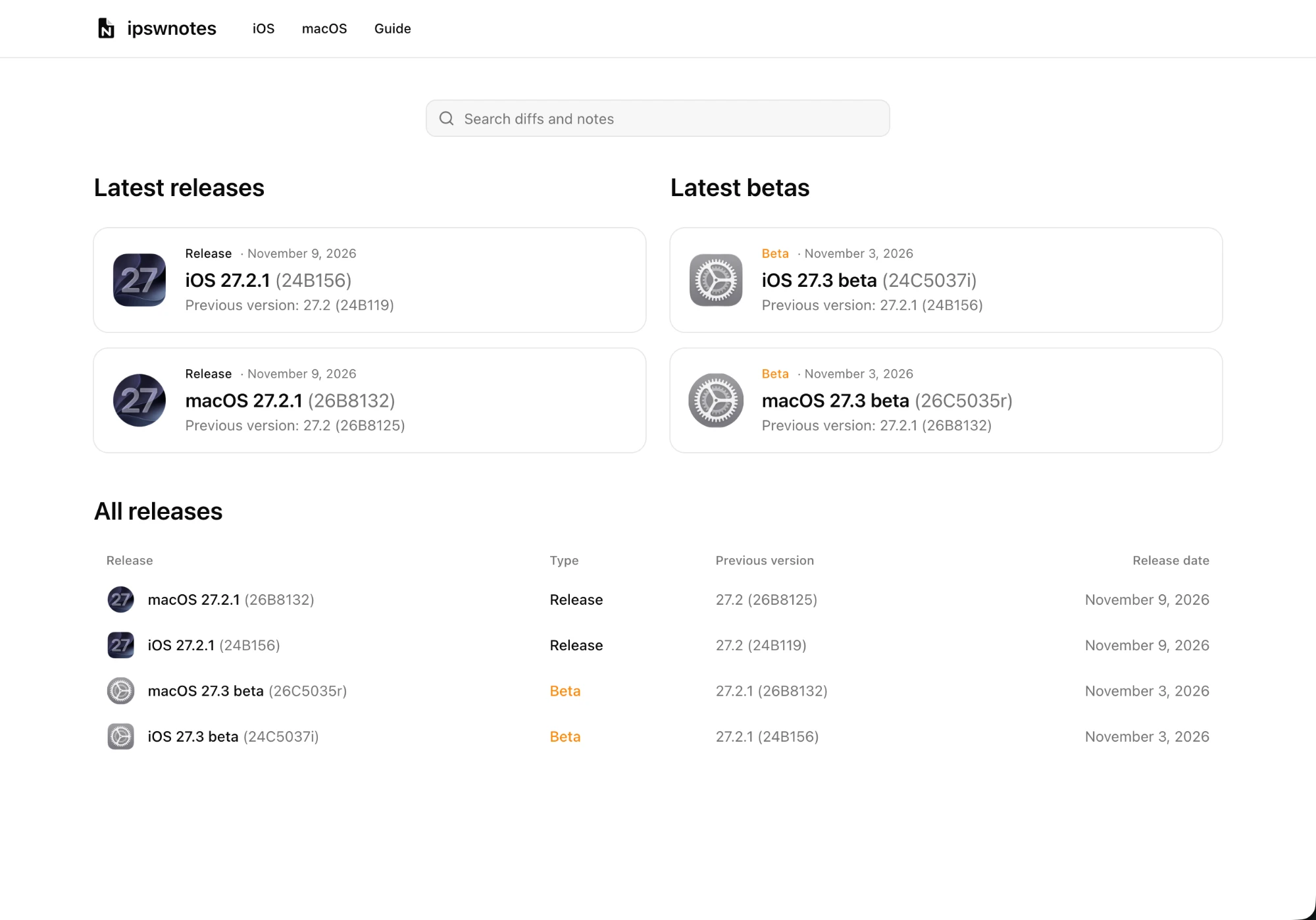
On the home page of the app you can see the latest release and beta versions of firmware packages for tracked platforms, with a directory of all previous package versions since the project launched.
- Latest releases shows the newest public version for each platform.
- Latest betas shows betas and release candidates that are ahead of the current public version. When there are none, the column says so.
- All releases lists every package tracked, newest first, so you can go back to any earlier version.
Click any version to open its page.
2. A firmware package's page
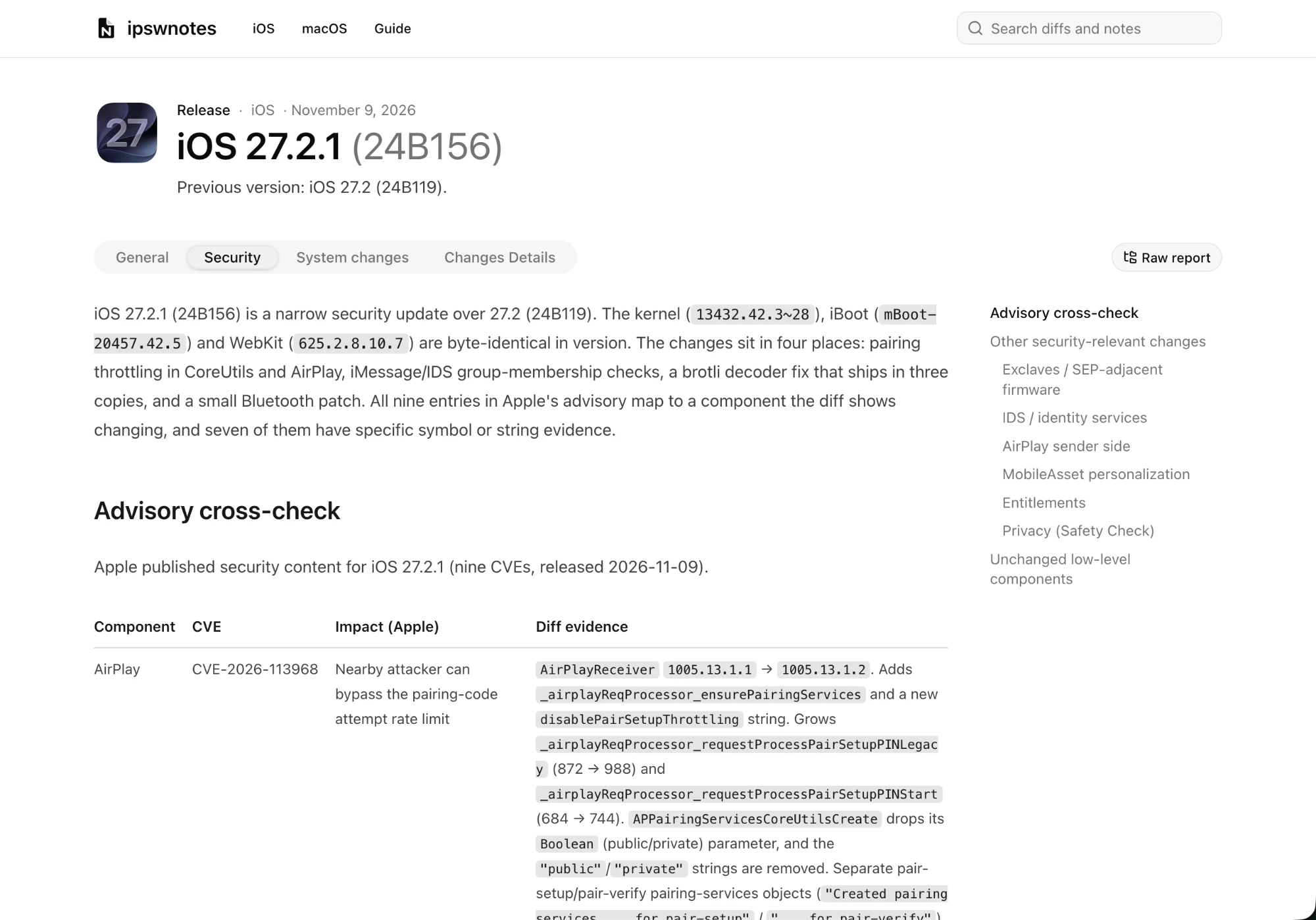
Each firmware package's page includes three written changelog reports, one per tab:
- General focuses on the most important changes, the ones users will notice.
- Security focuses on security changes. When Apple has published a security advisory for that release, the report compares what changed in the system with what Apple disclosed.
- System changes goes into more detail on system-level changes: frameworks, daemons, entitlements and similar.
Long reports have an "On this page" outline for jumping between sections. The open tab is kept in the address bar (for example #security), so a link you share opens on the same tab.
Changelogs are written with AI assistance and may be inaccurate or miss some changes. The raw report below is the unedited source.
3. Changes Details
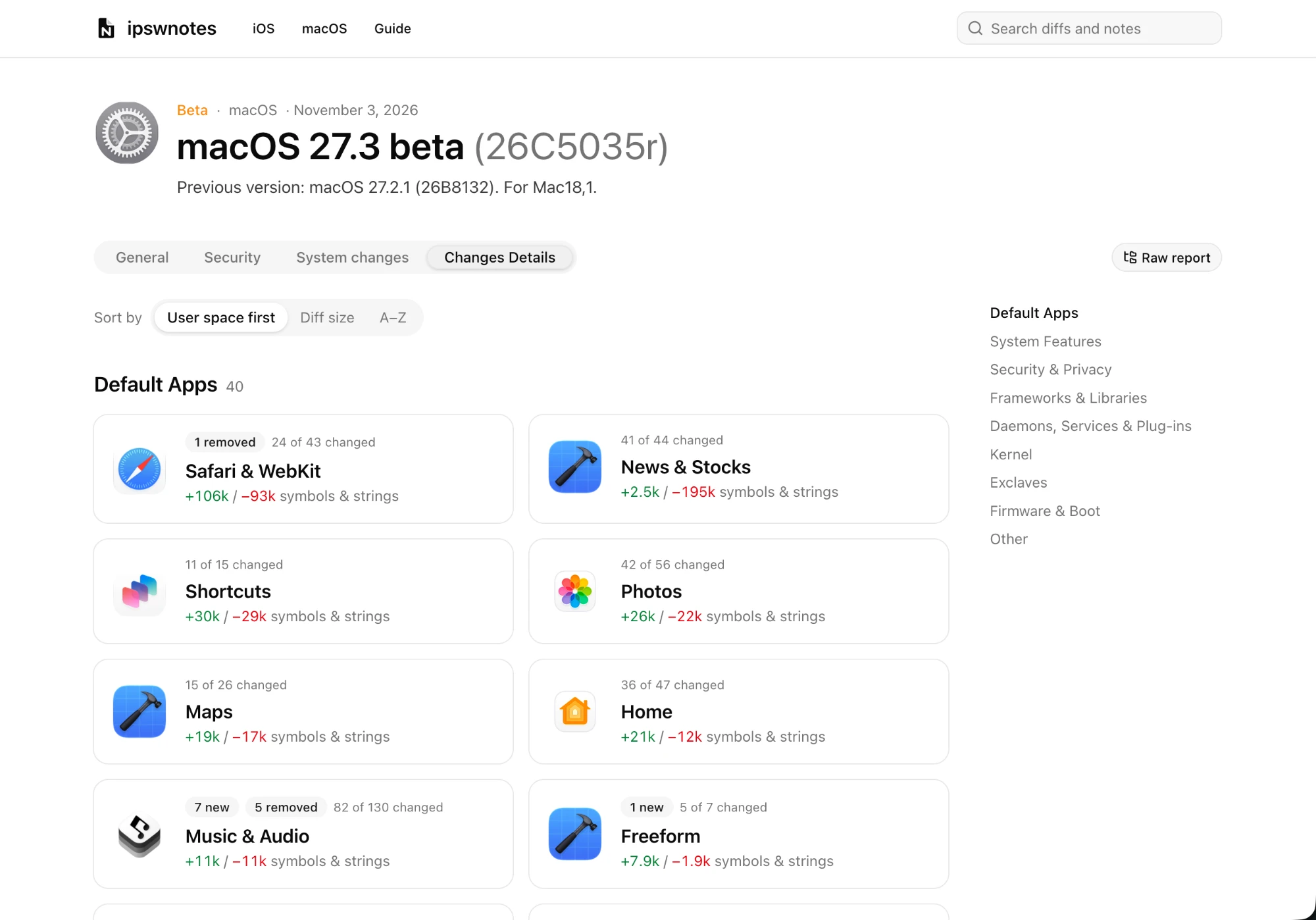
The Changes Details tab breaks the changes down into apps, frameworks and other components of the system, grouped into areas such as Safari & WebKit, Photos or Security. Each area shows how much changed in it.
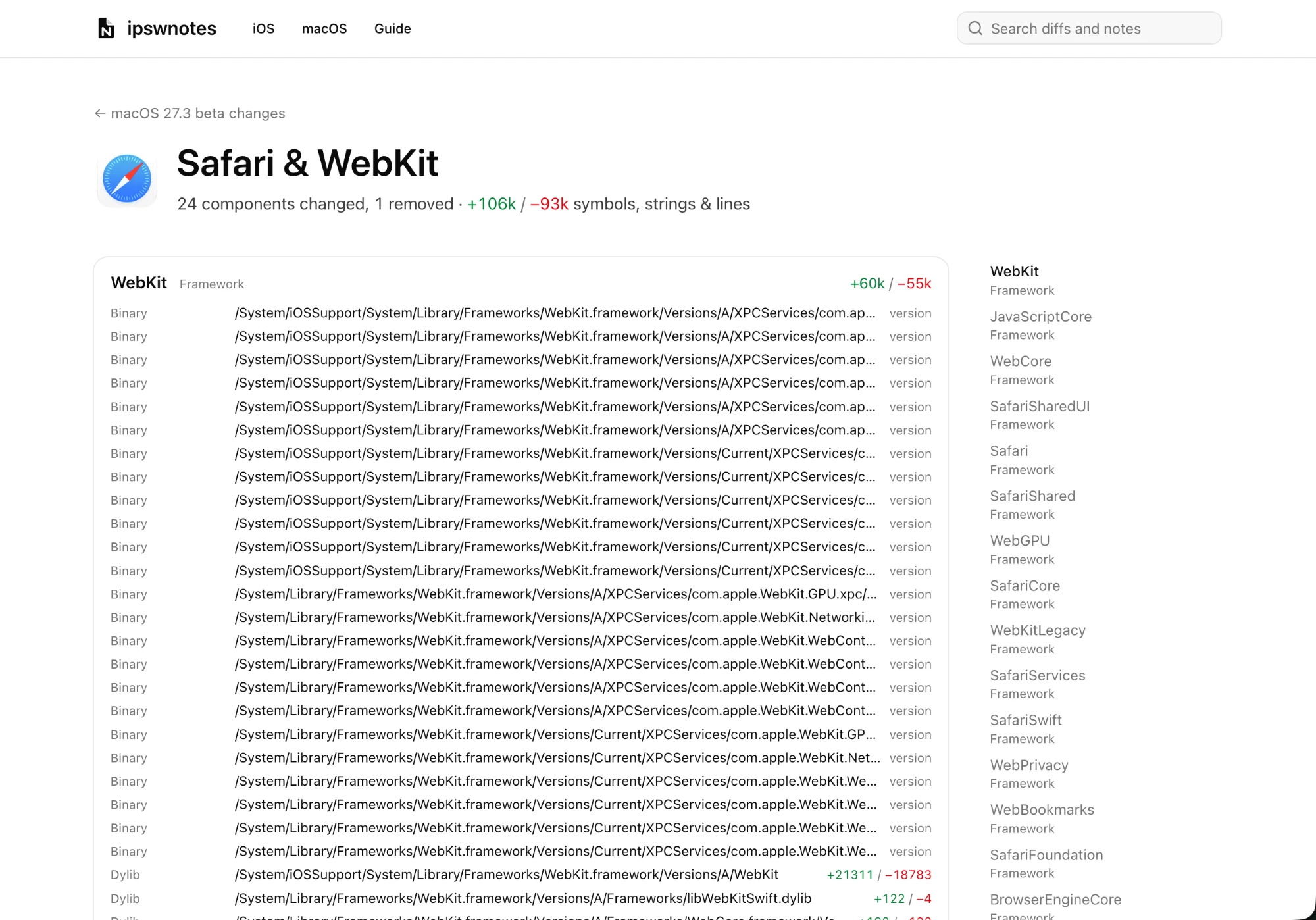
Open an area to see its components (an app, framework or daemon) and inspect what kind of changes were made to each one: which files are new, removed or updated, and how many lines changed. From there you can open any item's diff.
4. The raw report
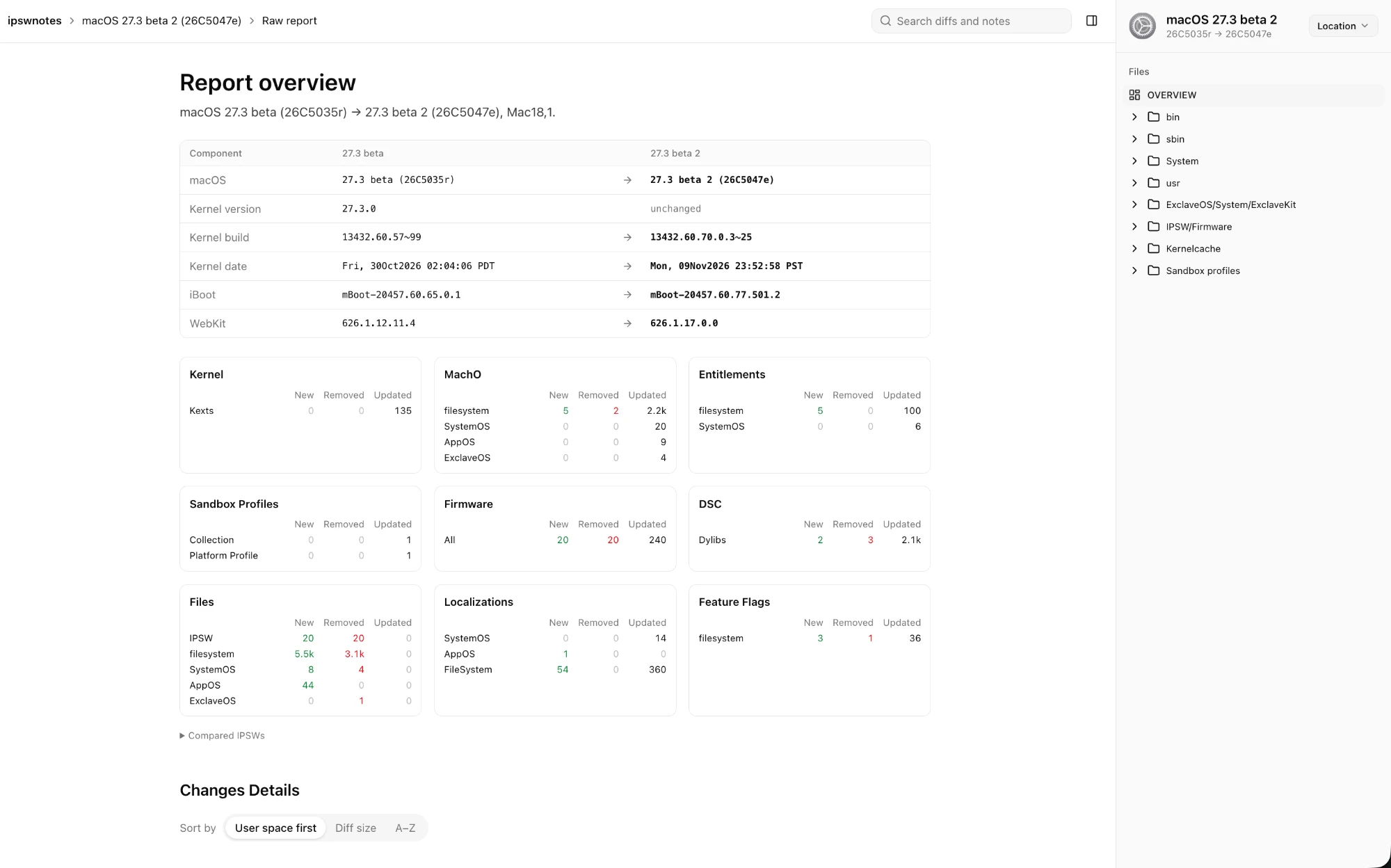
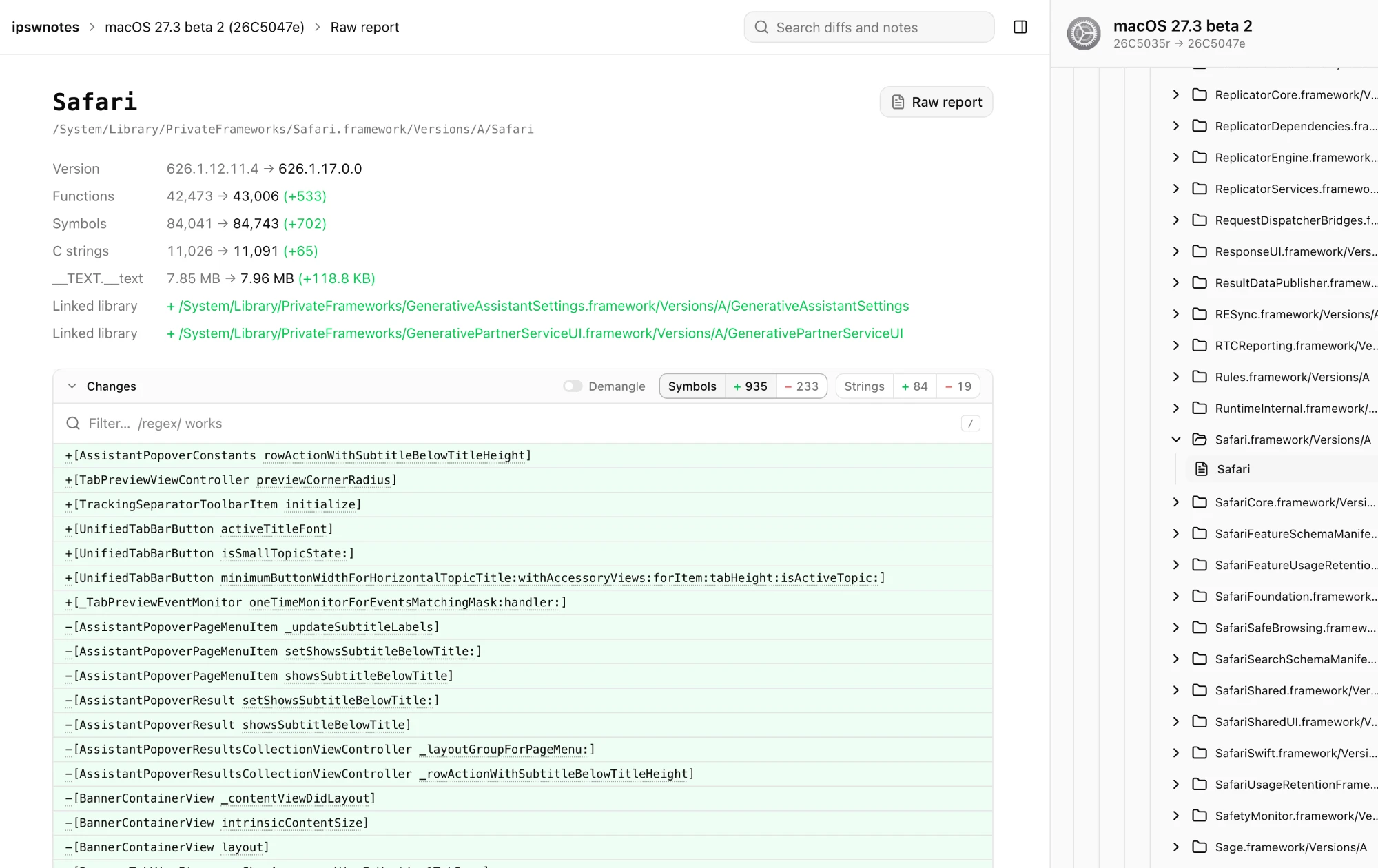
For deeper investigation, use the Raw report button next to the tabs. It opens a more detailed overview of the changes and change types across the different system components, with counts of new, removed and updated files in each section.
The sidebar holds the report's file tree. Browse it like folders on disk to open the changed files directly and read their diffs.
5. Search
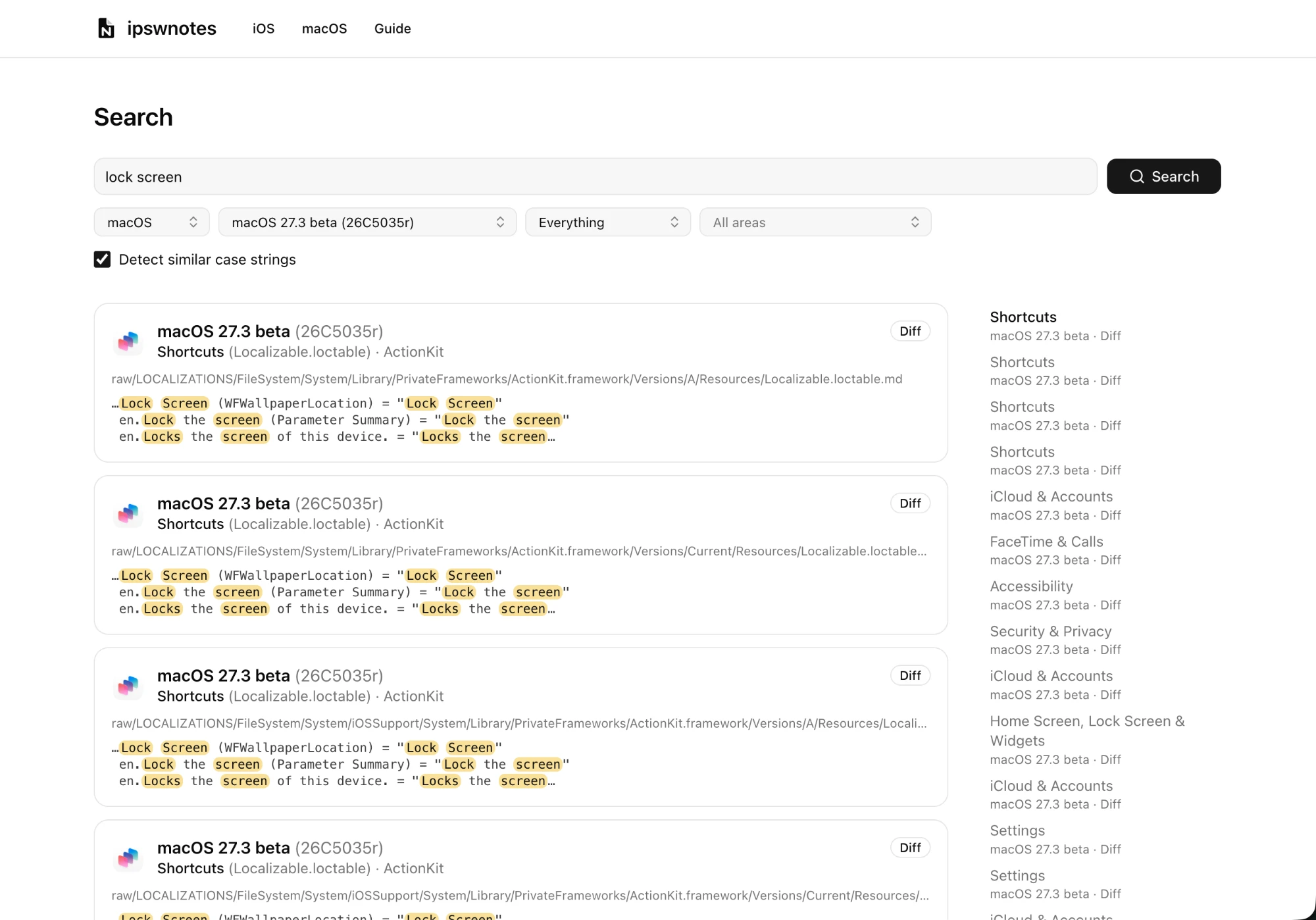
Another useful feature is instant full-text search across all diffs and all changelogs of every release. Type into the search box on the home page or in the header, or open the search page.
Once you have results you can narrow them down with the filters above them:
- OS: iOS or macOS.
- Release: one firmware package version.
- Area: one part of the system, such as Safari & WebKit, or a whole group of areas.
- Sources: the changelogs (General, Security, System changes) or the raw diffs only.
All the words you type must match. Put a phrase in quotes to match it exactly, and put a minus sign before a word to leave out results that contain it, for example "lock screen" -beta.
Building something?
Everything above is also available as JSON for scripts and AI agents. The For AI tab documents the API.